
What it is
On a computer, the speech-bubble button in the top bar opens Send feedback on any screen (on a phone it is in the menu). Type what's missing, what's confusing, or what you'd change, and it goes straight to the Crulex team along with the screen you were on. Underneath, What you've sent lists your earlier notes, where each one stands, and what changed once it's done. You get an email when it's done.
When to use it
- Something in Crulex is confusing or doesn't work the way your business does.
- You'd like a feature or a change.
- You want to check whether something you asked for has been done.
Before you start
- Don't put passwords, card numbers or a customer's private details in a note. Describe the problem in your own words instead.
- Go to the screen your note is about first. Crulex records which screen you sent it from.
- Only you see the notes you've sent; your co-workers send their own.
Steps
- Click the speech-bubble button in the top bar (Send feedback), or choose Send feedback in the menu under the circle with your initials.
On a phone: Tap ☰ at the top left, then Send feedback at the bottom of the menu.
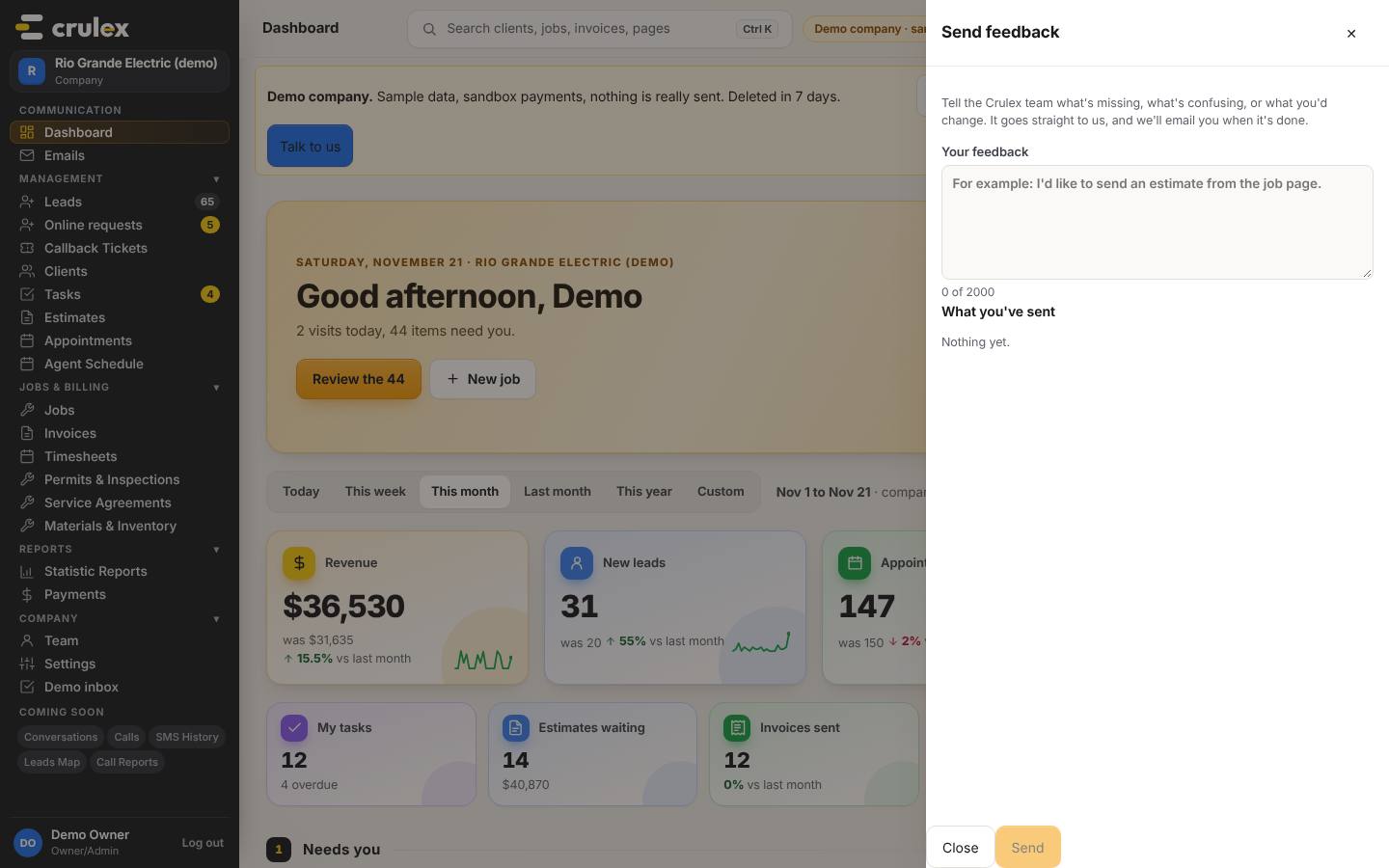
The Send feedback panel with the Your feedback box and What you've sent - Type your note in Your feedback. Say what you were trying to do and what got in the way. The counter shows how much room is left (up to 2,000 characters).
- Click Send. Crulex shows Thanks! We got it.
- Look under What you've sent: your note shows with the date and Sent. Later it changes to Read by the Crulex team, then Done or Closed. Once it's done, What we changed says what the team did.
- Click Close when you're finished.

How to check it worked
- Thanks! We got it. shows under the box, and the box is empty again.
- Your note is at the top of What you've sent with Sent next to it.
Common mistakes
- Writing just "it's broken". Say which screen, what you clicked, and what you expected to happen.
- Sending a very short note. Send stays greyed out until you've typed a few characters.
- Using feedback for an urgent customer problem. Feedback goes to the team that improves Crulex, so it isn't the place for a payment a customer needs today.