
What it is
The Activity log is a running record of what happened in your company: who created, sent, approved or paid what, and when. The bell in the top bar holds your own notices (a visit you're on moved, a customer approved an estimate, a follow-up is due). Notifications is the full page behind the bell, where you can filter old notices and choose which ones you get.
When to use it
- A customer says they never got an estimate and you want to see when it was sent.
- You want to know who changed something, or what happened on a job yesterday.
- You're getting notices you don't need, or want quiet time for a while.
Before you start
- Everyone in the office can open the activity log, but each person only sees the areas their role can open. Dollar amounts show only if your role can see prices.
- Notification choices are yours only. Changing them never stops a notice for anyone else on the team.
Steps
- Click the bell in the top bar to see your latest notices. Click one to open the record it's about.
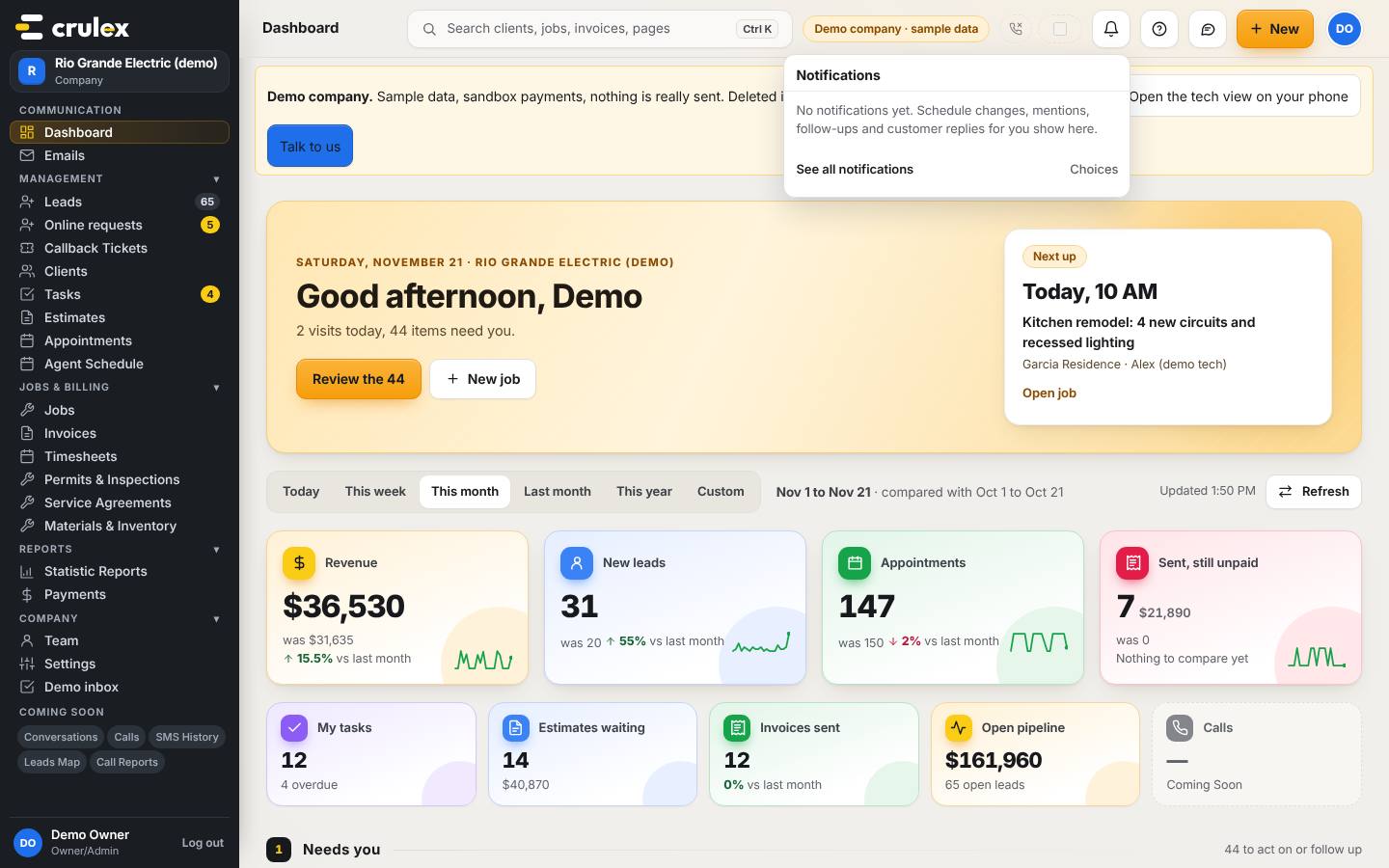
The bell panel open in the top bar, with See all notifications and Choices - Click See all notifications at the bottom of the bell to open the Notifications page. Use All, Unread and Read, the Type list, and From and To to find older ones. Dismiss hides a notice for good.
- Scroll to Notification choices. Tick or untick In Crulex and Email for each type, then click Save choices. Turn on Quiet to pause every notice and team email for you until you turn it off.
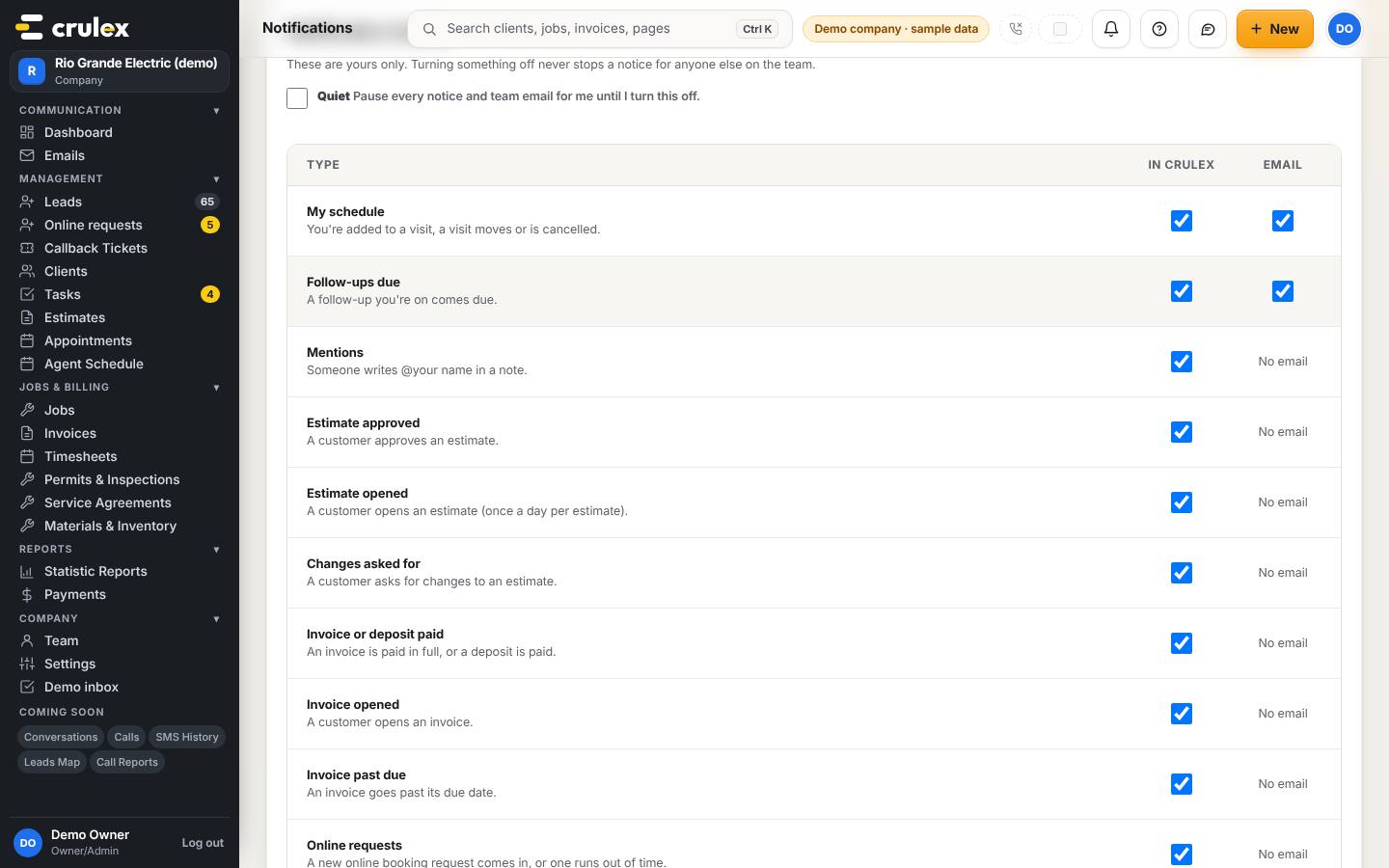
Notification choices with In Crulex and Email switches for each type - To open the activity log, click your initials (top right) and choose Activity log.
- Narrow the list with Area, Type, Person and the From and To dates. Your filters show under Filtered by; click ✕ on one to clear it.
On a phone: The filters stack above the list; scroll down for the entries.
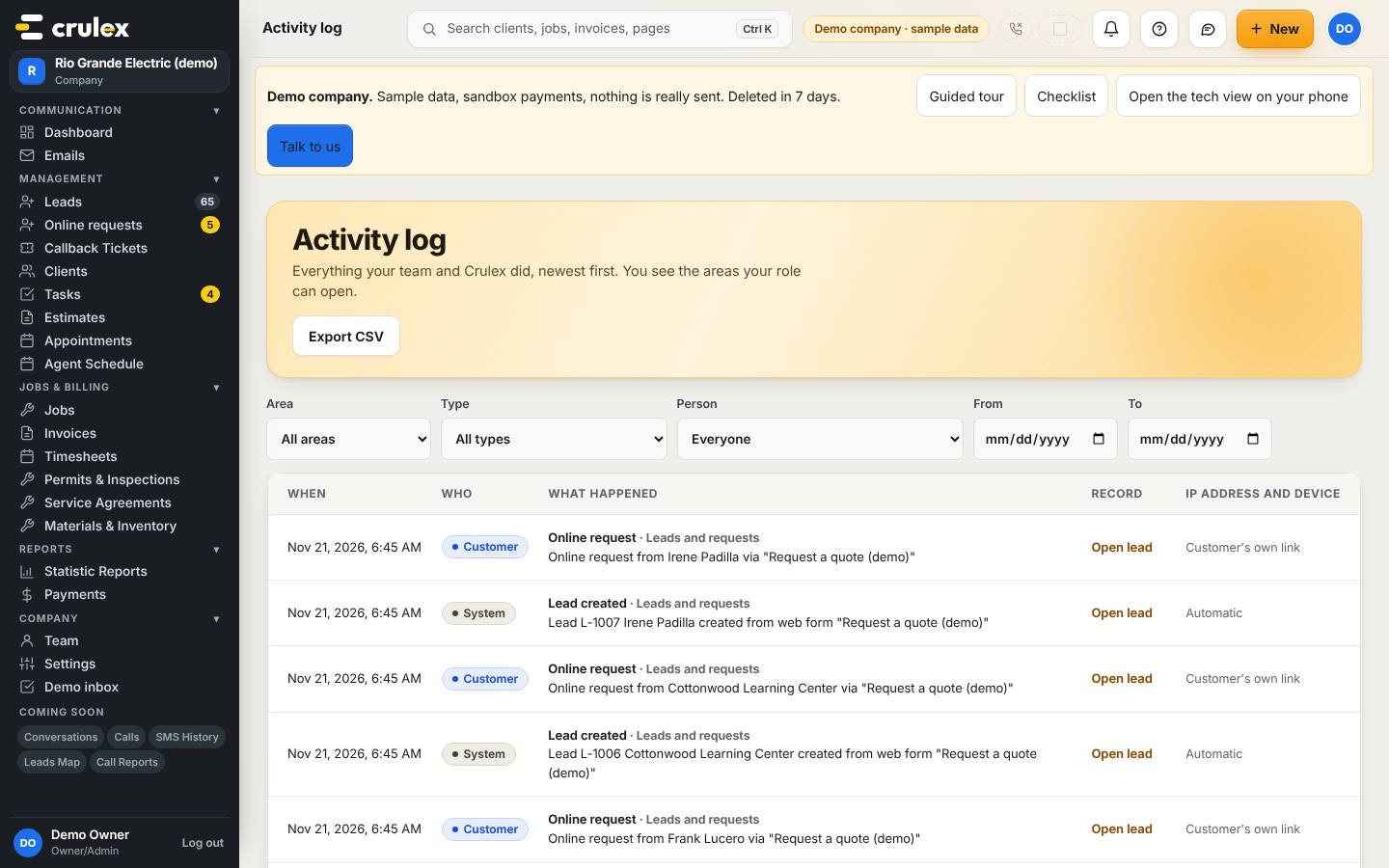
The activity log with area, type, person and date filters - Click Open lead, Open job, Open estimate (and so on) on a row to go to that record. Use Newer and Older to page through, 50 at a time.
- Click Export CSV to download the same rows as a spreadsheet.

How to check it worked
- The number on Unread goes down as you open or mark notices read.
- After Save choices, a type you switched off stops arriving in your bell.
- The activity log shows only rows matching your filters, newest first, with times like "Nov 20, 2026, 4:40 PM".
Common mistakes
- Looking for the activity log in the side menu. It's in the menu under your initials (and linked from the dashboard and the search panel).
- Thinking an action is missing from the log when your role can't see that area. Ask the owner, who sees everything.
- Expecting an email for every notice type. Only My schedule and Follow-ups due can send a team email; the others say No email.
- Rows marked System or Customer weren't done by a team member: they were automatic, or the customer did it from their own link.